



Today, the software development environment is fast-paced, and delivering timely and high-quality product releases is critical. Delaying releases affect not only the team but can also cause you to miss your market window and causes revenue loss. Does this happen with your team? Are they struggling to streamline new features and software updates for faster release?
Introducing ServiceNow Digital Product Release (DPR)!
In this blog, we will explore everything about digital product release, its features, benefits, and best practices in detail.
What is ServiceNow Digital Product Release?
It’s a powerful tool that helps businesses manage the entire software release lifecycle easily. It keeps everything on track, from planning to product launch, while ensuring visibility across teams. It’s significantly different from the traditional tools that directly manage development and deployment; instead, DPR integrates with your existing development, testing, and deployment tools to fully automate release readiness and governance processes.
Incredible, right? That’s not all!
DPR also provides a common workspace for admins, stakeholders, and product managers. This helps everyone coordinate more effectively with respect to task tracking, release statuses, and ensuring compliance. Moreover, DPR helps teams plan and manage multiple product releases simultaneously, saving a lot of time for your teams.
Key Features of Digital Product Release
Let’s go through key features of ServiceNow DPR that make release management simpler.
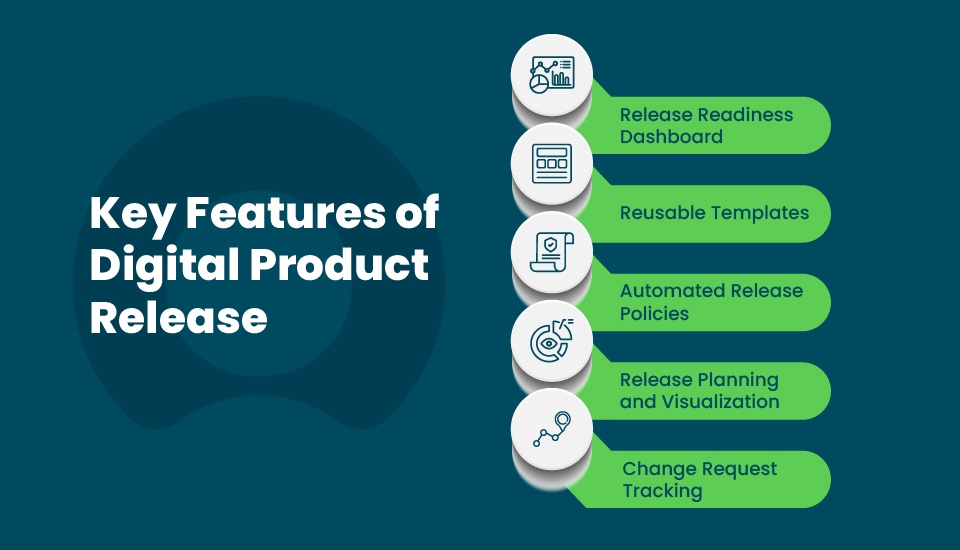
- Release Readiness Dashboard
- Provides a unified location to monitor the entire release, including start and end dates and change requests for each release.
- The dashboard improves transparency with teams having a clear picture of the pending tasks and anything that requires prompt attention.
- Notifies stakeholders about overdue tasks or compliance issues.
- Reusable Templates
- Enables release admins to define custom templates for each release type, such as minor, major, or emergency release.
- Assists with rapid new releases by reusing proven processes.
- Minimizes repetitive planning and manual entries to save time and reduce errors.
- Automated Release Policies
- Automate policy enforcement at every phase, providing “gates” that control progression through the release stages.
- Use ServiceNow and third-party data integrations to automate validation checks, reducing your team’s effort.
- Follow a “shift left” approach, where testing and security are addressed early in development lifecycle (SDLC). This puts an end to last-minute problems.
- Release Planning and Visualization
- Data is directly imported from CI/CD tools, helping your team to visualize how products move through various release versions.
- Makes project management more intuitive by providing clear, visual mappings of phases and tasks.
- Keeps everyone aligned with release timelines, dependencies, and milestones to achieve, preventing bottlenecks.
- Change Request Tracking
- Tracks change requests that are tied to release phases in one place.
- Automatically link the necessary details to the release and software version, enhancing traceability and audit readiness.
- Alerts your team when change requests are ready for review, preventing delays.
- Integrates change workflows with release readiness to reduce duplication of efforts.

Benefits of Using ServiceNow Digital Product Release
- Improved Release Awareness: As every stakeholder has a unified view, the entire team is release-ready, preventing miscommunication and delays.
- Automated Compliance: DPR automates policy enforcement, which simplifies governance and reduces manual errors.
- Risk Mitigation: With automated risk scoring and visibility into release tasks, your team can find and address potential issues promptly.
- Accelerated Release Cycles: With CI/CD tools integrated, DPR accelerates every stage of the release process while maintaining quality controls.
- Better Decision Making: Dashboards that offer real-time insights help leaders to manage their resources effectively.
- Cost Savings: As manual work is reduced, the scope for errors is minimized, which automatically lowers costs.
Overall, ServiceNow Digital Product Release empowers your team to deliver high-quality digital products reliably.
Learn how ServiceNow can make your workplace future-ready by exploring its digital transformation solutions.
Step-by-Step Guide to Implementing ServiceNow Digital Product Release
Getting started with ServiceNow DPR is simple and straightforward. Follow these implementation steps:
- Install the App: Visit the ServiceNow Store and install the Digital Product Release plugin. Make sure you have the admin rights.
- Set Up Training: Ask your team to start learning the basics beginning with the available free courses on the ServiceNow Learning platform, like “Get Started with the Now Platform.”
- Define Your Process: Decide the release phases, such as planning, design, test, deploy, monitor, and closure. Create templates for common releases.
- Import Data: Connect to your planning tools to bring in features and tasks.
- Configure Policies and Dashboards: Set up automated checks and customize the dashboard to meet your needs.
- Test and Launch: Run a pilot release to evaluate if everything is working as intended. Then, do a full rollout.
- Monitor and Improve: After the launch, review things that have worked rightly and update your templates accordingly.
Best Practices for Implementing Digital Product Release
Follow these best practices for successful implementation.
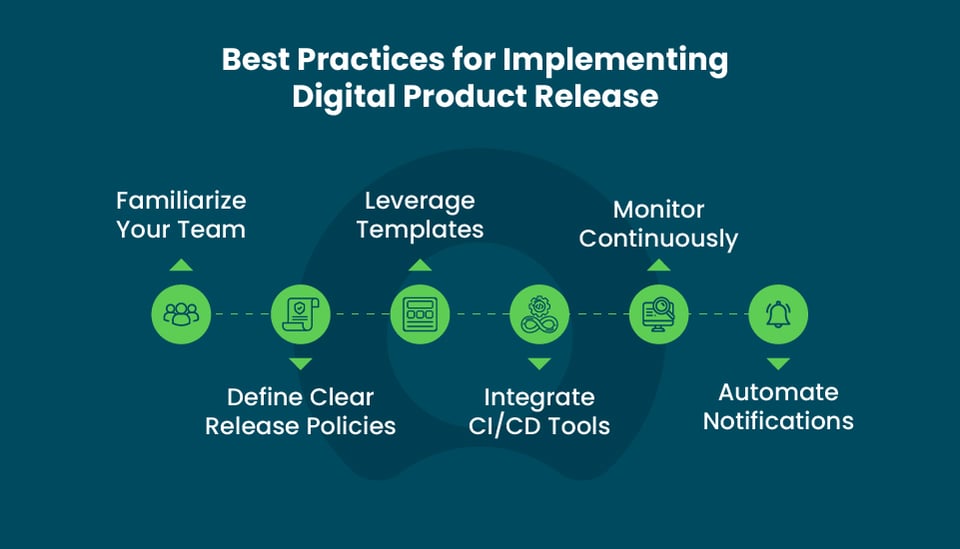
- Familiarize Your Team: Provide training for your team on the ServiceNow platform and DPR features to ensure smooth and easy adoption. Let them start using the dashboards and know how to collect and use the insights for better decision-making.
- Define Clear Release Policies: Use custom policies to automate validations at each release phase.
- Leverage Templates: Standardize the workflows with reusable templates to save more time and maintain consistency across every release. You can begin with out-of-the-box templates and slowly customize them considering your requirements and team's needs.
- Integrate CI/CD Tools: Ensure seamless data import and status updates by connecting your existing development infrastructure.
- Monitor Continuously: Monitor the DPR dashboard proactively to manage any risks and release health. After each release, gather your team for a quick meeting to discuss what is successful and what needs improvement.
- Automate Notifications: Configure notifications to keep approvers and teams informed automatically for them to take quick decisions.
Important Read:
To make your digital transformation journey more rewarding, check out this in-depth guide: digital transformation strategies with ServiceNow.
Conclusion
For teams looking to eliminate spreadsheets, chats and speed up their software release lifecycle, ServiceNow Digital Product Release is the most powerful tool. By utilizing DPR effectively, organizations can improve release quality, minimize risks, ensure required compliance, and align IT and product teams to deliver exceptional digital products quickly. Overall, DPR is a valuable addition to your software delivery toolkit.
Need help managing your digital product launches? Our expert ServiceNow consultants are one call away!
FAQs
- Who can use Digital Product Release?
Product managers, IT, and distributed product teams use digital product release to manage all aspects of software release lifecycles.
- How does DPR help in reducing release errors?
In every phase, policy and readiness checks are automated, so issues are identified before the release.
- What kind of releases do DPR support?
DPR supports digital software releases and service releases. Currently, it doesn’t support hardware and large project releases.
- Does DPR require complex customization?
DPR is highly configurable, and organizations can deploy it with minimal technical effort by leveraging standard policies and templates.
- Is DPR included with ServiceNow licensing?
DPR is bundled with Information Technology Service Management (ITSM) Pro and Enterprise editions, and connections using Integration Hub are included in those licenses.