



Nowadays, providing exceptional customer experience is the first step towards business survival. Whether it is a big enterprise or a startup, they need the right tools to get actionable insights that drive their business decisions. Salesforce, a leading cloud-based customer relationship management (CRM) provider, offers a suite of services and tools that help businesses achieve their key goals effectively. Currently, over 150,000 companies are using the Salesforce platform globally to transform how they operate their businesses.
According to the Salesforce FY25 Stakeholder Impact Report, Salesforce generated $37.9 billion in annual revenue, a testament to its widespread adoption and growing influence in the CRM space.
From marketing and sales to customer service and analytics, Salesforce services empower companies to work smarter, address customer pain points with precision and grow faster.
Let’s explore the Salesforce services and the benefits businesses can derive from them in detail.
What Are Salesforce Services?
Salesforce services refer to the suite of cloud-based solutions and tools offered by Salesforce to support various business functions. These services enable real-time collaboration, data integration, automation, and personalized engagement. Every Salesforce service is available via the cloud to access anytime and anywhere.
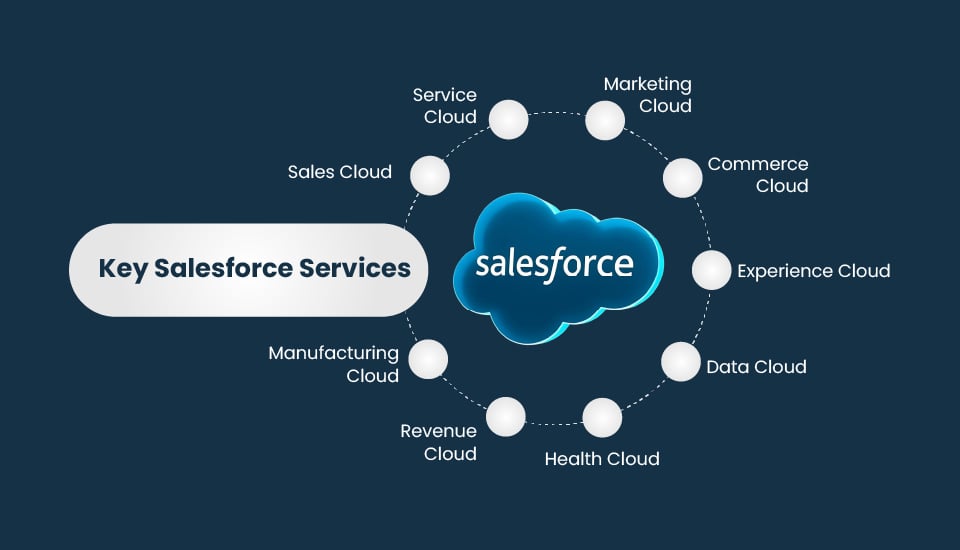
Key Salesforce Services
Salesforce offers several services to meet diverse business needs.
1. Sales Cloud:
It is designed to streamline the entire sales process effectively. It has the best tools to automate lead tracking, opportunity management, and pipeline forecasting to boost sales productivity. As it is a centralized system, it helps your sales team gain better visibility to track and close hot deals faster.
Key Features:
-
- Lead and Opportunity Management: Manage and track leads from conversion to closing, maintaining a unified view of account and opportunity data.
- Sales Forecasting: Build accurate, real-time sales forecasts and align them with business goals.
- Account and Contact Management: Store customer data and their communication history in one place to build stronger customer relationships.
- Reports and Dashboards: Visualize key sales metrics and data with customizable reports and dashboards, identify key performance drivers, and make better data-driven decisions.
2. Service Cloud
The primary focus of Service Cloud is improving customer service. With support agents getting access to AI-powered chatbots, knowledge base, and case management, customer issues are resolved at a rapid pace, delivering the best experiences through every channel.
Key Features:
- Case Management: Manages the entire lifecycle of a customer case, from issue creation to resolution.
- Knowledge Base: Provide customers and agents with self-service options, helping with faster case resolution.
- Process Automation: Automates routine tasks, streamlines the support process, and increases agent productivity.
- Field Service Management: Provides scheduling tools and manages work orders for field service teams, ensuring seamless service delivery in the field.

3. Marketing Cloud:
This is designed for marketers to create targeted multi-channel marketing campaigns, track engagement, and measure ROI easily. A huge benefit for businesses is that they can engage their customers via social media, chat, email, and advertising, and simultaneously, they can track their campaign performance to effectively optimize their marketing spend.
Key Features:
- Email marketing: Create tailored email campaigns, segment audiences, and track performance easily.
- Journey Builder: Automates the entire customer journey based on their behavior and preferences.
- Content Management: Create and manage emails, landing pages, and other assets, and store marketing assets in a centralized library.
4. Commerce Cloud:
Commerce Cloud provides the tools to build unified shopping experiences whether your customers buy in a store or online through web or a mobile device. It provides tools to manage digital storefronts, manage sales, and even integrate with other Salesforce products, giving customers a seamless experience.
Key Features:
- Online Storefront: Build and manage online storefronts with product catalogs and pricing options.
- Order Management System (OMS): Automates and streamlines the entire order fulfillment process, from order capture to delivery and support.
- Marketing and Promotions: Drive sales by running targeted campaigns and providing discounts.
- Mobile-First Design: Focuses on mobile-first design principles to provide a smooth, engaging shopping experience on any mobile device.
5. Experience Cloud:
Facilitates the creation of branded digital experiences that connect customers, partners, and employees to your CRM. Experience Cloud helps businesses to improve engagement, boost productivity, and foster stronger relationships with all stakeholders.
Key Features:
-
- Drag-and-Drop Interface: Build and customize branded, mobile-optimized portals with an easy-to-use drag-and-drop builder.
- Community Engagement: Fosters interactions through discussion forums, live chat, and groups.
- Case Management: Allow users to submit and track their support issues directly within the community.
- Integration Capabilities: Integrate with other Salesforce clouds and third-party systems.
6. Data Cloud:
Gathers customer data from various sources into one single platform to help you understand your target audience. Supported by Einstein AI that adds intelligence, you can now automate repetitive tasks, predict customer behavior, and deliver personalized recommendations to enhance engagement.
Key Features:
-
- AI-Powered Insights: Leverages AI to analyze data, predict customer behavior, and provide the right product recommendations.
- Advanced Segmentation: Enables audience segmentation based on their interactions, behaviors, and preferences.
- Data Security: Employs robust security features like encryption, access controls, and activity monitoring.
- Compliance: Helps organizations adhere to global data protection regulations such as GDPR, CCPA, and HIPAA.
7. Health Cloud:
This cloud-based platform unifies patient data, connects clinical and non-clinical information, and delivers personalized care experiences. Healthcare organizations can leverage their full potential to transform patient care with real-time analytics and EHR solutions and improve engagement and thereby overall health outcomes.
Key Features:
-
- Unified Patient View: Consolidates patient health history, insurance information, and prescriptions in a single page.
- Intelligent Appointment Management: Intelligent workflows streamline patient appointments and provide users with the necessary data.
- Remote Patient Monitoring: Collect data from wearables and medical devices to track patient health, enabling timely interventions.
- Care Team Collaboration: Enables transparent communication among care teams to improve care delivery.
8. Revenue Cloud:
It is designed to manage the entire "quote-to-cash" revenue lifecycle on a single platform, within the Salesforce ecosystem. It combines key capabilities like pricing, quote (CPQ), product management, order & contract management, billing, and revenue recognition to automate the entire process to improve revenue efficiency for businesses.
Key Features:
-
- Guided Selling & AI Quoting: Create quotes accurately by empowering sales reps with guided workflows and AI-driven tools.
- Automated Order Management: Streamlines complex order fulfillment and billing processes, adapting to real-time changes.
- Omnichannel Selling: Supports easy selling and buying experiences across channels.
- Revenue Recognition Compliance: Ensure compliance with accounting standards by automating processes.
9. Manufacturing Cloud:
It’s designed for manufacturers to collaborate with their sales, service, and operations teams and manage customer operations. Its key capabilities include demand forecasting, automated warranty claims, and unifying the entire value chain to help manufacturers improve efficiency and overall business growth.
Key Features:
-
- Account-Based Forecasting: Enables accurate forecasting for better business predictions and resource planning.
- Service Automation: Orchestrates end-to-end service processes for customer support, cases, and complaints.
- Manufacturing Analytics: Delivers actionable insights through embedded dashboards, helping with smart decisions.
- Inventory Management: Provides real-time inventory visibility across locations for timely production planning.
Important Read:
How to Implement Salesforce Services
Implementation looks challenging, but not when you have a clear plan. Here is a step-by-step guide to help you get started.
- Define Your Goals: Make a note of the goals you want to achieve, whether you are struggling to track leads or need better marketing campaigns or want faster customer support. For example, a B2B technology company that wants to shorten its sales cycle using the Sales Cloud, whereas a retailer can pick the Marketing Cloud for personalized email campaigns.
- Choose the Right Plan: Salesforce offers different plans for different businesses based on their size. Startups can go for the “Starter Suite,” whereas large businesses can pick the “Sales Enterprise Plan.”
Assess your needs and budget to choose the desired plan. Check out the Salesforce website if there is a free trial to test your desired services.
According to Salesforce, 76% of SMBs say they’re increasing technological investment, with only 5% reducing their spending, highlighting the ongoing shift toward digital tools as growth enablers.
- Plan Data Migration: Moving your existing customer data from spreadsheets or another CRM is easy with Salesforce tools like Data Import Wizard. If you have complex data migration needs, consult a Salesforce-certified partner.
For example, if your company has 100,000 customer records, then you might need a partner to map all data fields precisely, ensuring zero loss of information.
- Customize for Your Needs: Salesforce is extremely customizable. Considering your business processes, you can tailor dashboards, reports, and workflows. For simple changes, you don’t even need a developer, as Salesforce has drag-and-drop tools to make your job easier.
- Train Your Team: The Salesforce platform has free, interactive modules for all skill levels. Encourage your team to complete “badges” on different Salesforce services.
- Start Small, Then Scale: Never roll out all services at once. Begin with one, such as Service Cloud for support tickets, and then slowly expand.
- Monitor and Optimize: Salesforce’s analytics lets you track performance efficiently. Keep track of metrics like lead conversion rates, email open rates, or support ticket resolution times to understand what is working.
For example, let’s say your conversion rate jumped 20% after using Einstein AI; then you understand that you are on the right track. Based on these crucial insights, keep adjusting the workflows to achieve even better results.
Implementation may only take a few weeks for startups or small companies, whereas large enterprises could take 3 to 6 months. Stay patient and partner with the right consultant to experience long-term gains.
V-Soft’s Salesforce Expertise
V-Soft has a dedicated team of 50+ experienced Salesforce professionals who have experience delivering enterprise-scale implementations across various industries. Partnering with us ensures your every project will benefit from deep platform knowledge and best-practice guidance.
Our Salesforce capability spans across all the Salesforce services, supported by our expertise in advanced technologies like Lightning Runtime, Agentforce, Prompt Builder, Copilot, and Tableau CRM. We have already served clients in manufacturing, hospitality, education, retail, travel, and other sectors, tailoring to their unique needs.
Moreover, our service offerings cover consulting, migration, development, deployment, integration, support, maintenance, upgrades, and performance tuning, enabling seamless Salesforce adoption and optimization.
We know your business isn’t one-size-fits-all, and your Salesforce setup should not be either. Choose V-Soft’s professional Salesforce implementation and consulting services to help tailor the platform to fit your goals.
FAQs
- 1. Should I learn coding to use Salesforce services?
Most features are no-code. You can even customize Salesforce as per your needs using drag-and-drop tools. But for complex customizations, you might need the help of a developer.
- 2. Can Salesforce services integrate with other tools?
Yes, it can integrate with Google Workspace, Slack, Microsoft Office 365, and ERP systems, allowing businesses to create unified data views and dashboards and automate workflows to enhance overall productivity.
- 3. What is Salesforce Trailhead?
It is a free online learning platform with interactive lessons to learn Salesforce services. Individuals can use it to learn new skills and build their domain expertise.
- 4. Why should businesses use Salesforce services?
Salesforce services have been proved to boost efficiency, customer experience, and revenue. All credit for its AI-driven features and extensive adoption.
- 5. How to choose between different Salesforce services?
Choose one of the core clouds by assessing your current business needs. Slowly expand to other cloud services based on where you need automation or insights.